Calm dashboards for the e-ink panels in your home.
Build a page in the browser, or ask an agent to build it. Tesserae renders it for your panel and keeps it fresh on a schedule.
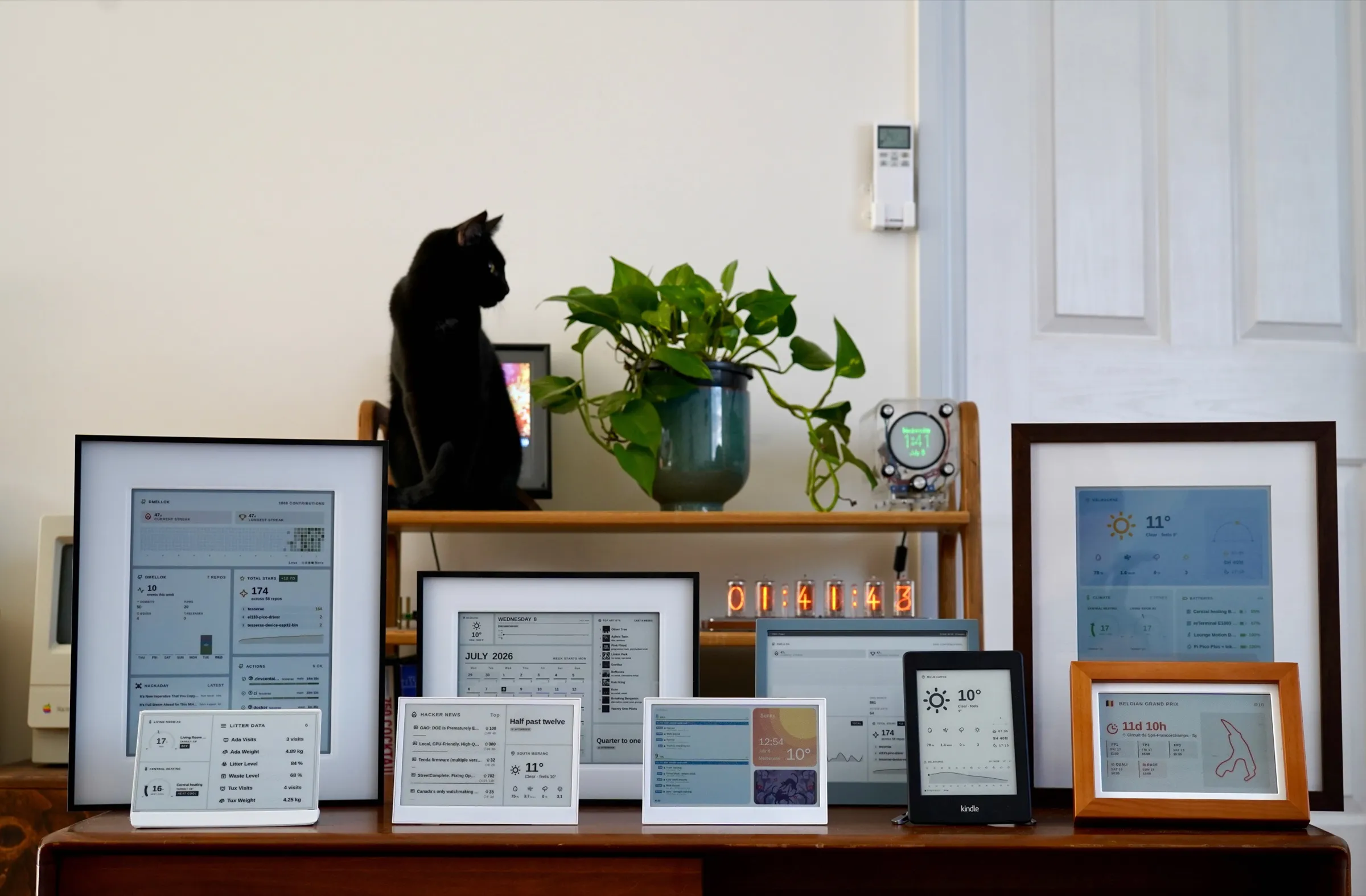
Every screen above is a Tesserae page, on real hardware.23 panels verified
Self-hosted or in the cloud. Your panels work with either.
Run it yourself: one container on hardware you already own, or a Home Assistant App. Free and open source under AGPL-3.0.
- DockerOne container on any machine
- Home Assistant AppAdded in one click from Home Assistant
- Shell, Windows or LXCLinux, Windows or Proxmox
Nothing to install. Sign in, create a dashboard, and connect your display. A separate hosted Tesserae, built for the cloud; your panel isn't tied to it and can move to a server of your own at any time, though its Cloud dashboards would need recreating there.
Install in a few minutes.
Pick how you run things. Every option ends at the same web app on port 8765.
mkdir ~/tesserae && cd ~/tesserae
curl -fsSLO https://raw.githubusercontent.com/dmellok/tesserae/main/docker-compose.yml
docker compose up -d# Settings → Apps → App store → ⋮ → Repositories
# Add this URL, then install "Tesserae" and click Start:
https://github.com/dmellok/homeassistant-tesserae-addon# macOS · Linux · Raspberry Pi
curl -fsSL https://raw.githubusercontent.com/dmellok/tesserae/main/install.sh | bashiwr https://raw.githubusercontent.com/dmellok/tesserae/main/install.ps1 -UseBasicParsing | iexlxc launch images:debian/trixie tesserae
lxc shell tesserae
apt update && apt install -y git python3 python3.13-venv
# then the manual venv install:
git clone https://github.com/dmellok/tesserae.git && cd tesserae
python3 -m venv .venv
.venv/bin/pip install -e ".[dev]"
.venv/bin/python -m app.maingit clone https://github.com/dmellok/tesserae.git
cd tesserae
python3 -m venv .venv
.venv/bin/pip install -e ".[dev]"
.venv/bin/python -m app.mainCompose on a canvas
Place widgets, text and shapes anywhere on an artboard sized to your panel. What you see is what it paints.
Or ask an agent
Describe a page to Claude or any MCP client, such as "Will I need an umbrella, when's my tram, and what's on tonight?", and it builds it, previews it and pushes it to the panel.
Fed by what you use
Calendars, weather, Home Assistant, transit, GitHub, the news and a growing catalog of community widgets.
Beautiful by default
Widgets that draw like prints, such as the 1800s bird plates of Fugleramme. No design work needed, and no AI art.
Example data. Map data © OpenStreetMap contributors · Bird plates after John Gould and others, from Fugleramme by Arne Giacomo Munthe-Kaas, CC BY-SA 4.0
Grids, canvases and code.
Snap widgets into a grid, place widgets, text and shapes on a canvas, or write the page yourself in HTML, CSS and JavaScript. Each one renders at its panel's own size and colours. All nine use example data; open any of them full size.
23 panels, verified on real hardware.
Each one has painted a Tesserae page on real hardware before it joined this list. Flash ESP32 panels from your browser; Pi, Kindle and TRMNL clients install in minutes.
* Affiliate link: a Seeed purchase through it gets a discount at checkout and pays a small commission to the project. It never decides what is listed or what counts as verified.